About Multiple Timers & Stopwatches
Transform your iPhone or iPad into a cooking companion! This is the missing iOS app you have been looking for. Every option you expect from a timer, including notifications, widgets & a lot of customization. And all that...
Transform your iPhone or iPad into a cooking companion! This is the missing iOS app you have been looking for. Every option you expect from a timer, including notifications, widgets & a lot of customization. And all that while looking gorgeous.
But it doesn’t end there. About Timers also features beautiful Stopwatches, Lock Screen and Home Screen widgets.
About Timers is the ideal for keeping track of timed tasks. Create multiple Timers & Stopwatches and use them all at the same time.
Timers
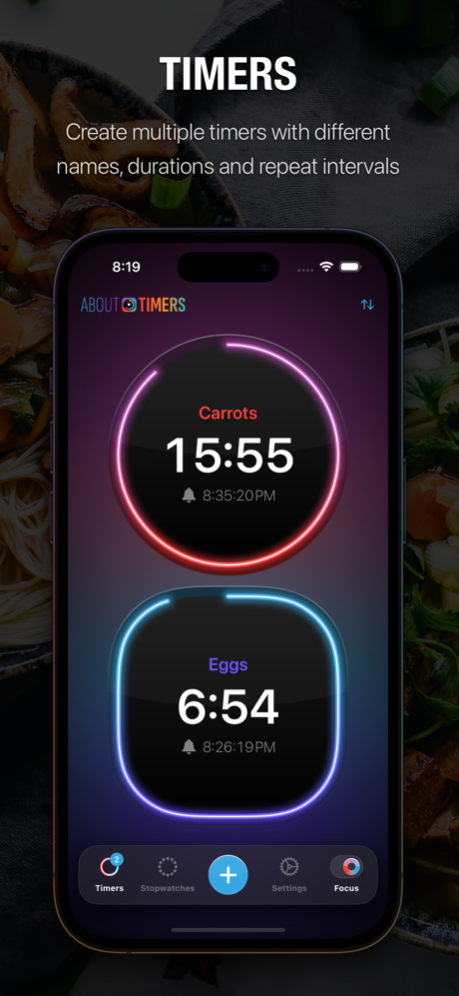
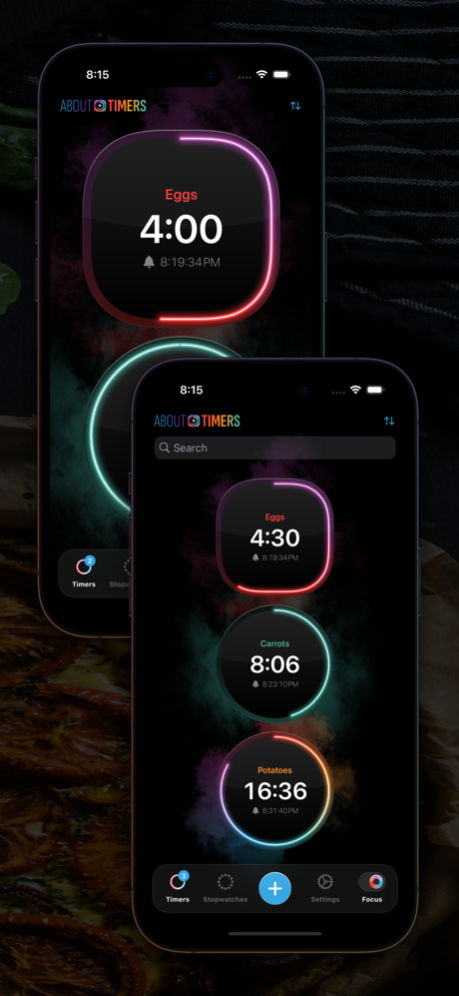
- Use multiple timers at the same time, create as many as you need.
- Name your timer to quickly identify which task needs attention.
- With Focus Mode on you’ll see only your running timers. The acts as a display while you perform the tasks at hand.
- Receive a notification (or multiple) when a timer completes
- Configure Repeating Alarms to get some extra reminders for a specific timer
- Customize the sound of the notification
- Add a timer to your Home Screen or Lock Screen using iOS Widgets! Close the app and continue monitoring your timer without having the app open!
Stopwatches
What is a timers app without a stopwatch? Or multiple stopwatches? Perfect to time that run, lap or get that perfect 30 seconds of Espresso extraction time.
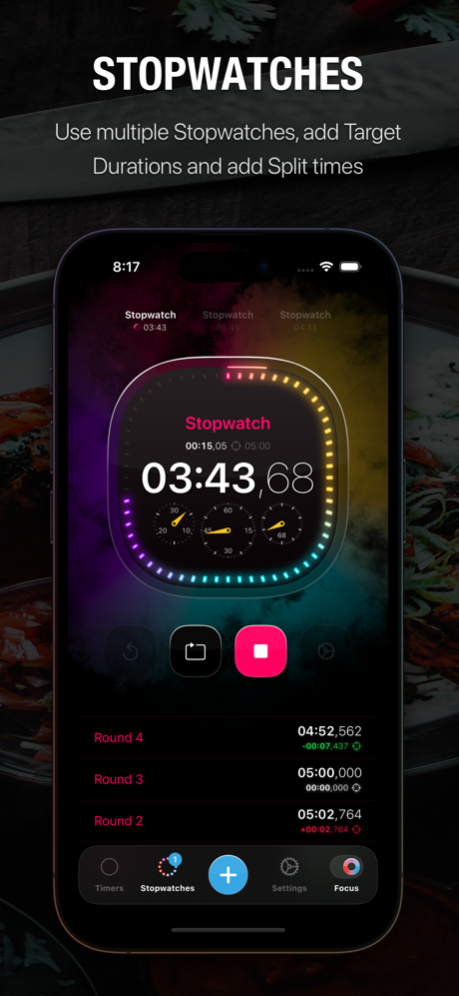
- Create beautiful stopwatches and run them simultaneously
- Set Target Durations and compare your result with that duration.
- Register a lap and see the delta to your target for every round.
Features
- Home Screen Widgets to monitor your running timers
- Lock Screen Widgets to glance at your running timers or quickly open the app
- Beautiful animations & design
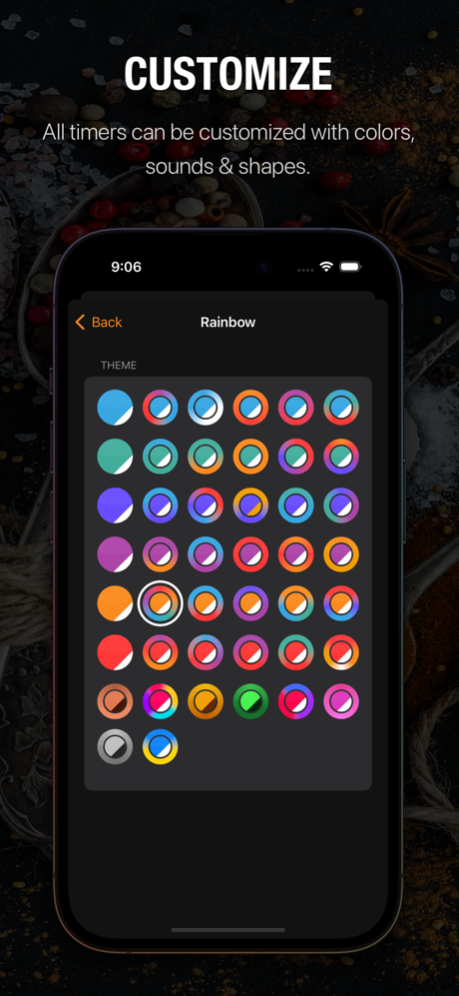
- Change the color of each timer - look fabulous measuring time
- Change the shape, have you ever seen a squircle?
- Change how the glow of a timer appears, choose from smoke, paint splatters and more!
- Tap the Randomize button if you feel lucky :)
- Landscape support to act as a monitor while you’re performing your task
- iPad support - this really is the missing timer app you’ve been looking for
- Change the App Icon of the app
- Runs perfectly in the background - you can safely close the app after a timer or stopwatch was started
Besides all that, About Timers is a beautiful crafted app, featuring neon-like graphics while at the same time focusing on only the functionality you actually want to use.
Users of the app include:
- Cooks who need to keep track of multiple dishes cooking at once
- Students who need to time their study sessions and break times
- Athletes who need to time their training sessions
- Professionals who need to manage their time effectively during the workday
- You, because you found this page :)
The app is free to use, the Pro features will be unlocked via a very cheap in-app purchase. When you purchase the Pro version, the costs will be charged to your iTunes account at confirmation of purchase.
Privacy policy: https://www.abouttimers.com/privacy.html
End-User License Agreement: https://www.abouttimers.com/eula.html
Jan 28, 2024
Version 1.8.9
We've made various under-the-hood improvements to keep the app running like a charm.
Previous Versions
Here you can find the changelog of Multiple Timers & Stopwatches since it was posted on our website on 2023-06-08 07:45:10.
The latest version is 1.8.9 and it was updated on 2024-04-19 17:02:49. See below the changes in each version.
Multiple Timers & Stopwatches version 1.8.9
Updated At: 2024-01-28
Changes: Jan 28, 2024
Version 1.8.9
We've made various under-the-hood improvements to keep the app running like a charm.
Multiple Timers & Stopwatches version 1.8.8
Updated At: 2024-01-09
Changes: Jan 9, 2024
Version 1.8.8
Made some minor UI changes.
Multiple Timers & Stopwatches version 1.8.7
Updated At: 2023-12-28
Changes: Dec 28, 2023
Version 1.8.7
We've made various under-the-hood improvements to keep the app running like a charm.
Multiple Timers & Stopwatches version 1.8.6
Updated At: 2023-12-19
Changes: Dec 19, 2023
Version 1.8.6
We've made various under-the-hood improvements to keep the app running like a charm.
Multiple Timers & Stopwatches version 1.8.5
Updated At: 2023-11-26
Changes: Nov 26, 2023
Version 1.8.5
We've made various under-the-hood improvements to keep the app running like a charm.
Multiple Timers & Stopwatches version 1.8.4
Updated At: 2023-11-02
Changes: Nov 2, 2023
Version 1.8.4
We've made various under-the-hood improvements to keep the app running like a charm.
Multiple Timers & Stopwatches version 1.8.3
Updated At: 2023-10-22
Changes: Oct 22, 2023
Version 1.8.3
We've made various under-the-hood improvements to keep the app running like a charm.
Multiple Timers & Stopwatches version 1.8.2
Updated At: 2023-10-10
Changes: Oct 10, 2023
Version 1.8.2
We've made various under-the-hood improvements to keep the app running like a charm.
Multiple Timers & Stopwatches version 1.8.1
Updated At: 2023-09-24
Changes: Sep 24, 2023
Version 1.8.1
Improved logic for sorting running timers.
Added visual indication that you have a sort method selected.
Multiple Timers & Stopwatches version 1.7.5
Updated At: 2023-09-06
Changes: Sep 6, 2023
Version 1.7.5
Improved UI when Focus Mode is enabled en no timers are turned on.
Disclaimer
Official App Store Link
We do not host Multiple Timers & Stopwatches on our servers. We did not scan it for viruses, adware, spyware or other type of malware. This app is hosted by Apple and passed their terms and conditions to be listed there. We recommend caution when installing it.
The App Store link for Multiple Timers & Stopwatches is provided to you by apps112.com without any warranties, representations or guarantees of any kind, so access it at your own risk.
If you have questions regarding this particular app contact the publisher directly. For questions about the functionalities of apps112.com contact us.